


Live Web Cam
Contact us to setup an account and time to view the puppies.
After obtaining a password and scheduling a date and time, click on the URL below to login to the webcam.
Setup Instructions

|
|
Live Web Cam |
||||
| We now have a web
camera mounted in our puppy house and in our home that allows the
puppies to be viewed over the internet.
Contact us to setup an account and time to view the puppies. After obtaining a password and scheduling a date and time, click on the URL below to login to the webcam. |
|||||
|
Setup Instructions |
|||||
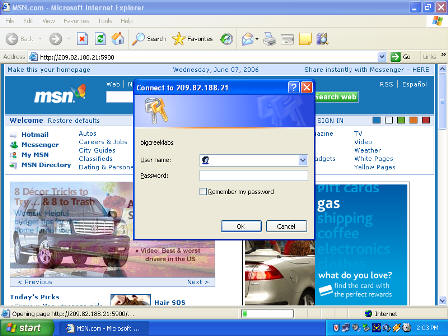
| The web cam is best viewed using Microsoft Internet Explorer Browser. Below are some screen shoots of what you will see the first time you connect to the web camera. | |||||
|
|
First you will see a login prompt. | ||||
|
|
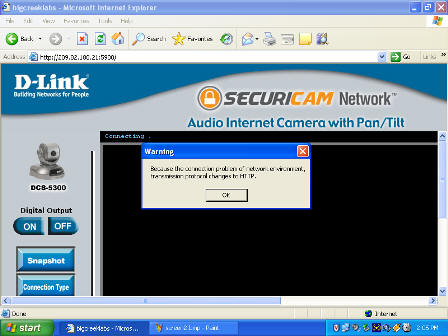
Next, you may see a screen like this and a message that asks to install an "active x" component that is a part of the D-Link software. This software enables you to view the real time video. | ||||
|
|
Because of the upload speed of the camera, you may receive a message that lets you know the connection is switching to an "http:" connection. This means that you will not be able to hear sounds, but you will still be able to see the puppies. | ||||